What is LinkedIn advertising?
With LinkedIn advertising you show paid posts to a group you defined yourself. You do not pick a keyword, you pick a profile. Think of a job role, a company size, an industry or a list of company names.
That difference shapes everything that follows:
- In a search engine you capture demand that already exists. On LinkedIn you speak to people who are searching for nothing at that moment.
- You interrupt someone in their feed, so your message has to be clear in one line.
- You also reach the people who weigh in but never search themselves, such as a director or a buyer.
That is why advertising on LinkedIn belongs to demand generation: building demand at companies that are not in the market yet.
How LinkedIn advertising works in practice
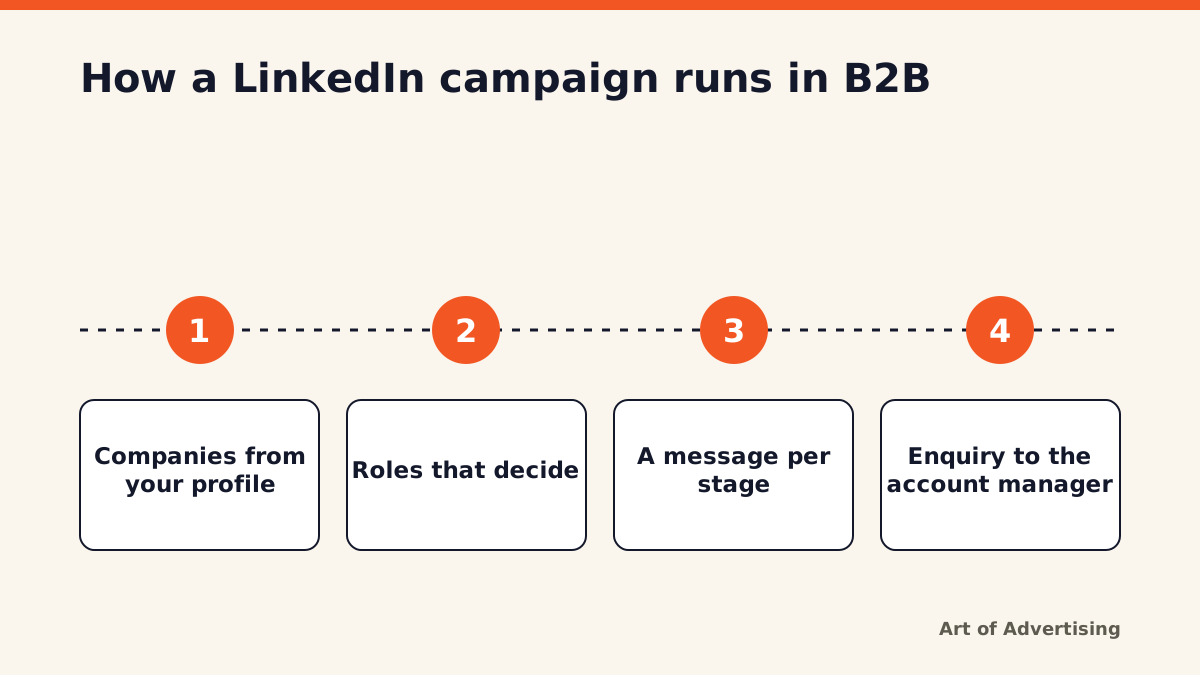
You build campaigns in Campaign Manager, the ad environment of LinkedIn. There you pick an objective, an audience, a format and a budget. The order we keep runs from customer profile to sales meeting.
- Companies from your profile. Start at your ideal customer profile and build a list of companies around it, instead of ticking a whole industry.
- Roles that decide. Per company you choose the roles that sit at the table, each with its own message.
- A message per stage. Someone who does not know you yet sees something different from someone who already visited your site.
- Enquiry to the account manager. The response is enriched and reaches sales with campaign and job role attached.
Which ad formats can you use?
The ad formats decide how much room your message gets. LinkedIn offers a single image post, a carousel, a video ad, a document ad, a text ad and a message in the inbox, among others.
We pick the format after the message is fixed, never before. In the feed a single image or a video usually works best for us, because those carry a story.
Who can you target?
Your audience is built from attributes people put on their own profile. You can target job title, job function, seniority, company size and industry, among other things. You can also upload your own list of companies or contacts, and reach people who already visited your website.
Two things often go wrong here:
- The audience is set too wide, so budget leaks away to companies you would never call.
- The audience is set so narrow that almost nobody sees your ad more than a couple of times.
What we saw
In our campaigns the enquiry rarely comes from the ad itself. Whoever fills in the form has usually seen you pass by two or three times. You only notice that if you measure across the whole buying journey instead of per ad.
At Templari we saw exactly that after redrawing the customer profile and aiming LinkedIn and Google Ads at it.
260% more enquiries
What LinkedIn advertising delivers, and where you see it
Here we take a position you will not read on most platform pages: the return sits largely outside the ad platform. Anyone judging LinkedIn advertising on the click figures in Campaign Manager is looking at the smallest part of the effect.
Look at these signals instead:
- The number of people searching for your brand name.
- Direct traffic to your site from companies in your audience.
- Search ads that convert better, because the name is already familiar.
- What account managers hear at the table: "we seem to run into you more often lately".
That is how you tie ads to what sales notices. It is also why we never run LinkedIn on its own, but as part of our approach to LinkedIn advertising for B2B, where ads, website and follow-up form one system.
Conclusion
LinkedIn advertising works in B2B when you know exactly which companies and roles you want to speak to. In our campaigns the price per click runs higher than in a search engine, because you pay for that sharp definition. So judge it on the meetings that arrive months later, not on the click.